Where League keeps replay (.rofl) files — and how to manage them
Updated: August 11, 2026
The exact folder League saves replays to on Windows and Mac, how to find one game fast, and what to do when the folder is empty.
The default location
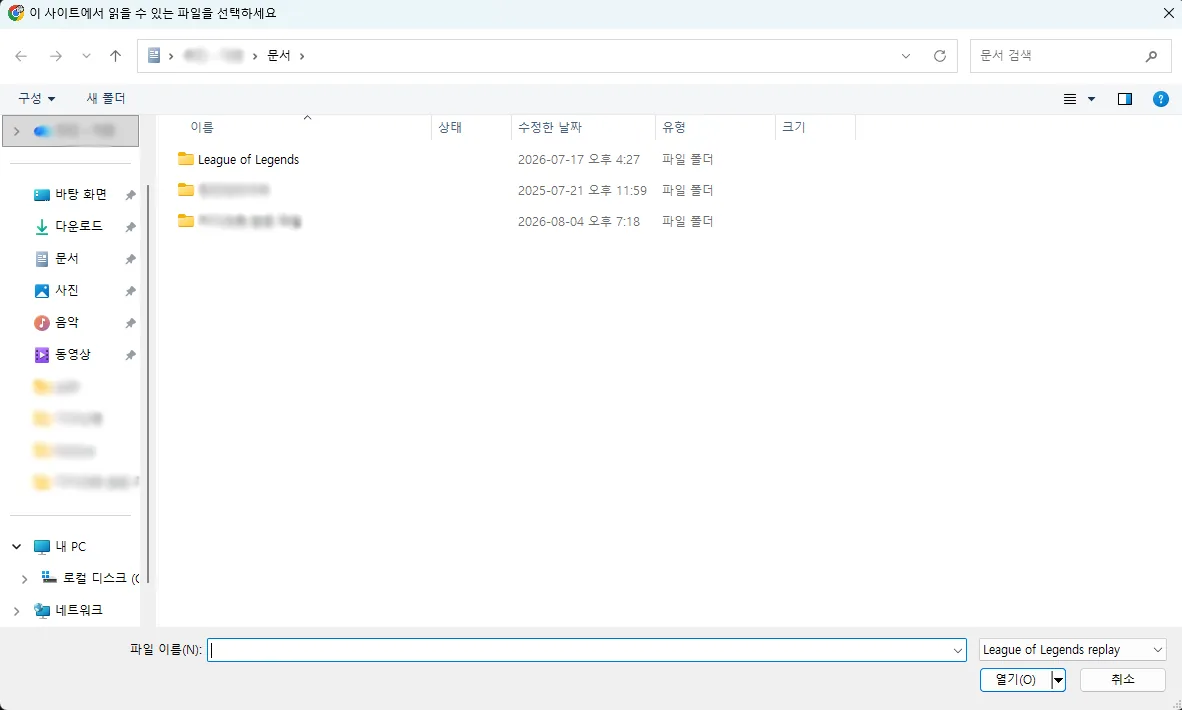
On Windows, replays live in Documents > League of Legends > Replays. On Mac it's the equivalent path under your user's Documents folder. If you changed the download directory in the client, the files are wherever you pointed it.
You can check and change the path in the client: Settings > Replays > download directory.
Finding one specific game
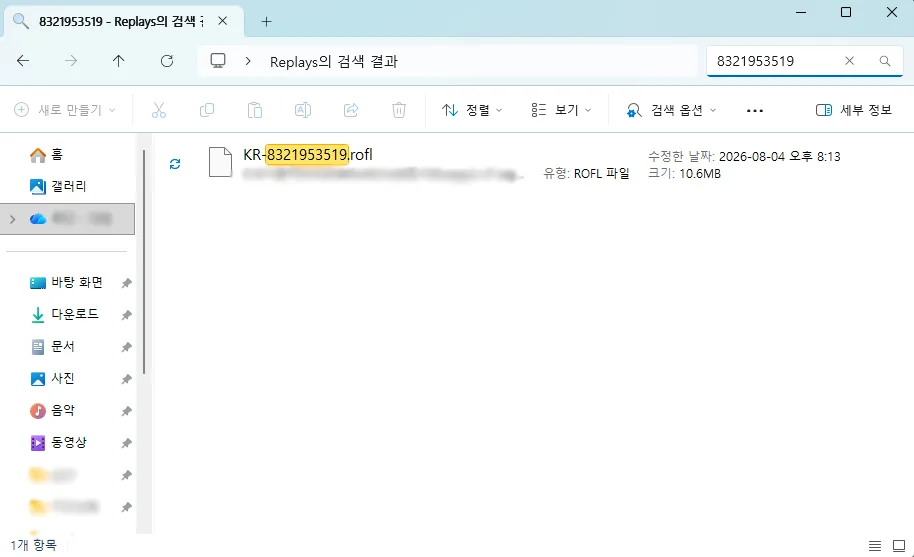
Files are named after the region and game ID, like KR-8321953519.rofl. Copy the game ID from the client's match history, paste it into the folder's search box, and only that game comes up.
That is much faster than sorting by date, especially when you played five in-houses back to back and every file has almost the same timestamp.
When the folder is empty
- Nobody downloaded the replay — it only saves when you press the button.
- The client was pointed at another folder — check the settings above.
- Replays expire after a while on Riot's side, so old games can no longer be downloaded.
If the replay is gone, the game is gone. The habit that fixes this is downloading right after the last game of the night, while everyone is still in the lobby.
Setting the folder once
Most browsers remember the last folder you opened in a file picker. Open the Replays folder once and the next upload starts there — no more clicking through Documents every time.
Written and maintained by the ONNJ team
This guide is written and maintained by the team that develops and runs ONNJ.
If you find an error or the guide differs from the current interface, please let us know by email.
onnj.official@gmail.com