How to record LoL in-house games — straight from the replay file
Updated: August 11, 2026
Custom games never show up in match history sites. Here's how to keep your in-house records — and get real stats out of them — using the .rofl replay file League already saves.
Why in-houses leave no record
Ranked and normal games show up on match history sites straight away, because Riot exposes those results through its public API. Custom games are not in that API. That's why you can play in-houses every week and find nothing when you search your name afterwards.
So most groups screenshot the end screen into a group chat, or somebody copies the numbers into a spreadsheet by hand. Neither survives more than a few weeks. The moment the person keeping the sheet misses a night, there's a gap — and nobody ever goes back to fill a gap.
The replay file has everything
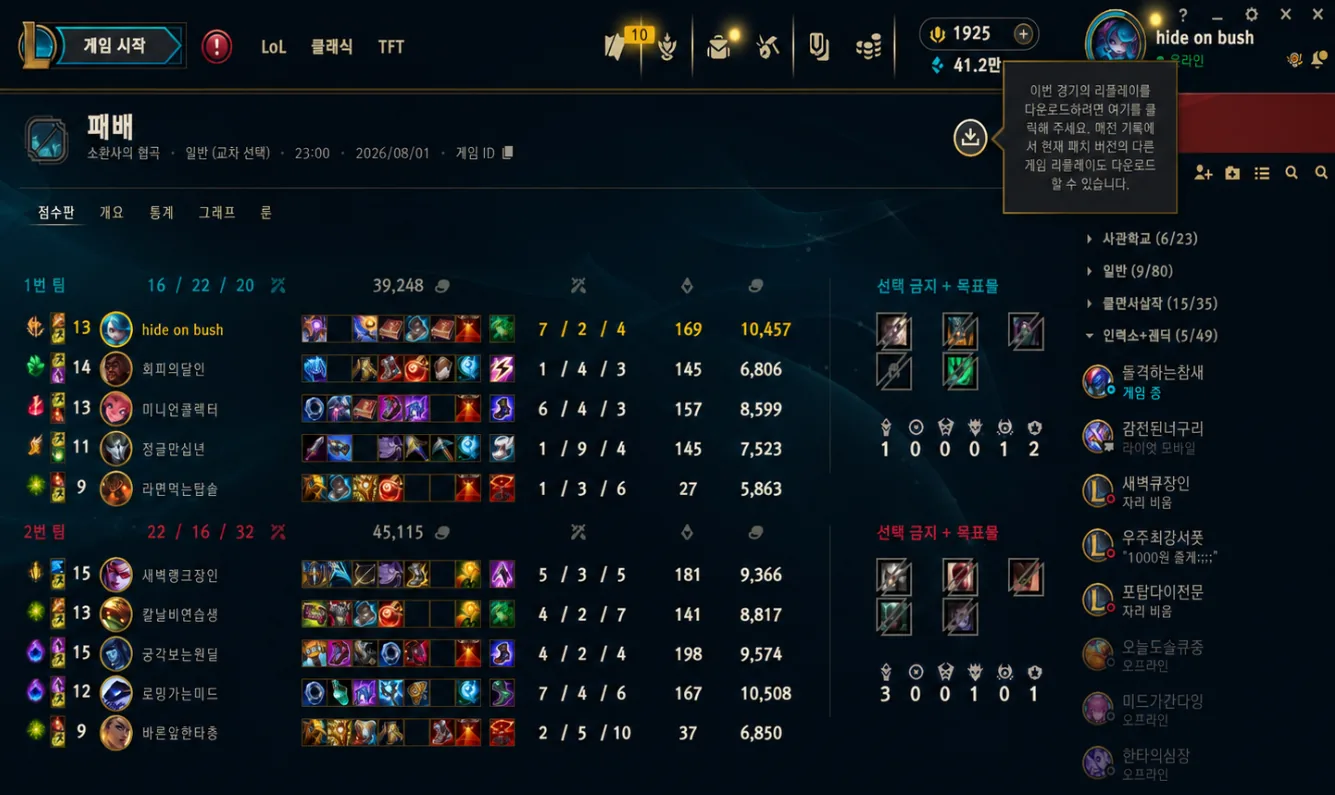
League saves every game you download a replay for as a .rofl file on your own PC. That file holds far more than the end screen: champions, KDA, gold, damage dealt and taken, CS, vision score, wards, crowd control, objective damage, even ping counts.
In other words the data already exists. It's sitting on someone's hard drive after every in-house. The only problem is getting it out of there and into a shape you can read.
The replay only appears once someone presses download in the client. If nobody does it that night, the game is gone — worth making it a habit.
Recording a game, step by step
- In the League client, open Match History and find the in-house you want.
- Press the download button on that match to save the replay.
- Click the game ID to copy it — the file is named after it.
- On ONNJ, open the upload dialog and pick that .rofl file.
- Check what was read from it, then confirm.
The file is parsed in your browser. Only the extracted stats are sent to the server — the .rofl itself never leaves your machine.
One person is enough
Only one of the ten players needs to upload. The replay contains every participant, so one upload records the whole game for everyone in the group.
In practice it works best if the person who organises the night also does the uploading. It takes about thirty seconds per game once the folder is set.
What you get once records pile up
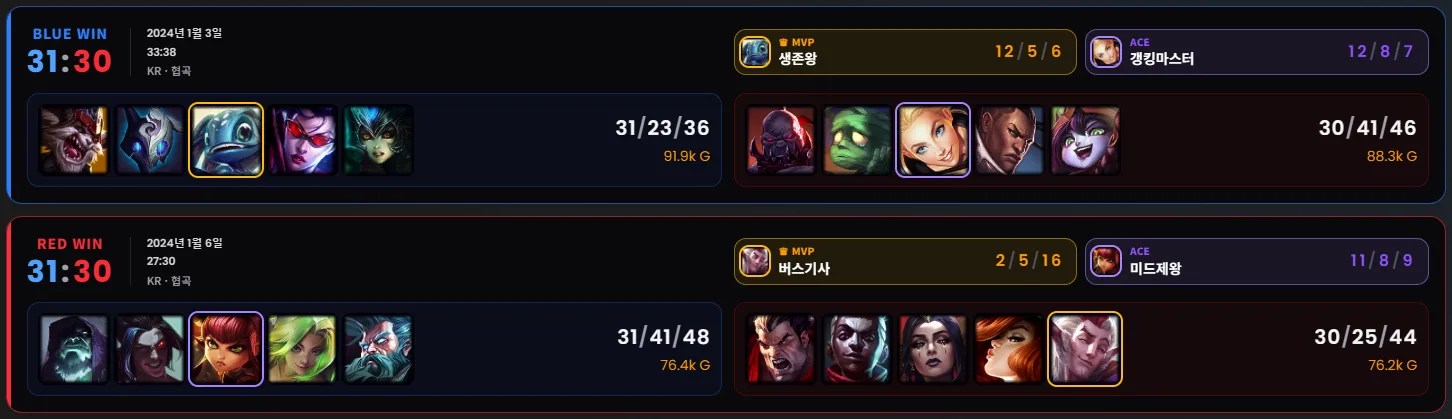
- A leaderboard that ranks by contribution, not just win rate
- Per-player breakdowns — combat, growth, vision, survival, champion pool
- Champion stats for your group specifically, which rarely match the server meta
- Duo records: who actually wins together and who doesn't
- Team balancing that uses your group's own results
None of that works from memory. It only works if the games were recorded, which is the whole reason to bother with the first thirty seconds.
Common snags
- No replay in the folder — nobody pressed download that night.
- Can't find the file — search the Replays folder by the game ID you copied.
- Patch mismatch — you can still parse the file even when the client refuses to play it back.
- Same game uploaded twice — the game ID catches it, so it's counted once.
Written and maintained by the ONNJ team
This guide is written and maintained by the team that develops and runs ONNJ.
If you find an error or the guide differs from the current interface, please let us know by email.
onnj.official@gmail.com